- December 12, 2025 2:15 pm
- by Safvana
- December 12, 2025 2:15 pm
- by Safvana
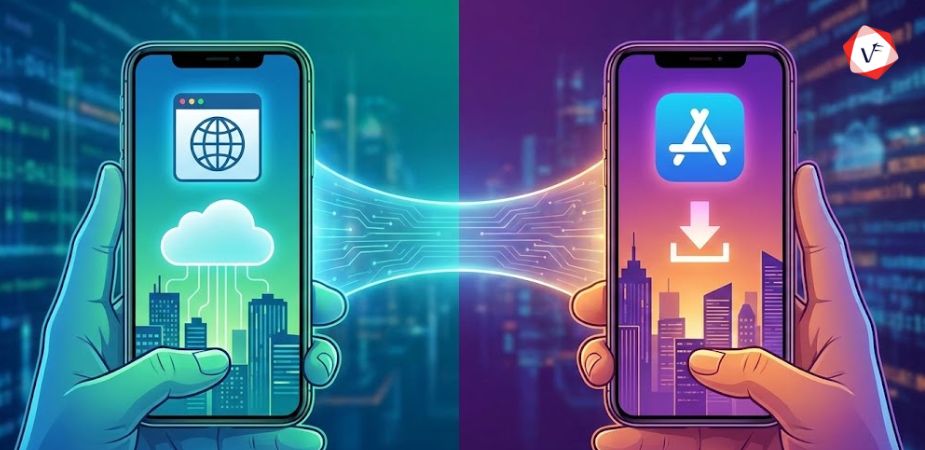
Quick Answer: There's no universal winner. PWAs are ideal for businesses seeking cost-effective, SEO-friendly solutions with broad reach. Native apps excel when you need high performance, advanced hardware features, and deep mobile integration. Your choice depends on your budget, target audience, and feature requirements.
If you're planning to build an app in 2026, you've probably come across the terms Progressive Web App (PWA) and Native App. Both have their own advantages — one focuses on reach and flexibility, while the other delivers unmatched performance and user experience.
But which one is better for your business in 2026?
The mobile app industry has transformed dramatically in recent years. Businesses are no longer limited to just building apps for iOS or Android. Now, thanks to Progressive Web Apps, brands can reach users through the web while still offering an app-like experience. But Native Apps still hold a strong position because of their performance, offline capabilities, and seamless integration with mobile hardware.
So, as we enter 2026, the critical question is — which should you choose for your business: PWA or Native App? Let's break it down step-by-step and help you make the right decision.
A Progressive Web App is a web-based application that functions and feels just like a mobile app. You can access it through a browser, and users can even install it on their home screen without going to the App Store or Play Store. It uses modern web technologies such as HTML5, CSS, and JavaScript to give users a smooth, responsive, and fast experience.
PWAs use something called service workers, which store parts of the app data offline. This means users can still access certain features even when the internet connection is poor or unavailable. Service workers act as a proxy between the web app and the network, enabling background sync, push notifications, and caching capabilities.
Real-World Example: Brands like Twitter (now X), Starbucks, and Uber use PWAs to provide faster access to their platforms, even on low-bandwidth networks. Starbucks' PWA is only 233KB compared to their iOS app's 25MB, yet still offers menu browsing, customization, and cart functionality.
A Native App is built specifically for a mobile operating system — such as Android or iOS. Developers use programming languages designed for that platform to create optimized, high-performance applications.
Platform-specific development languages:
Once created, these apps are available for download on the Google Play Store or Apple App Store. Native apps have direct access to device hardware and operating system features, allowing for superior performance and functionality.
Real-World Example: Apps like Instagram, WhatsApp, and Spotify are native applications. They provide rich performance and full access to the phone's hardware (camera, GPS, contacts, notifications, etc.), enabling features like real-time video filters, location tracking, and background audio playback.
Understanding the fundamental differences helps you make an informed decision. Let's compare these technologies across critical dimensions:
Here's why PWAs are gaining significant attention in 2026:
You build one PWA, and it works seamlessly across all devices — mobile, desktop, or tablet. There's no need to create separate versions for Android and iOS, which can reduce development costs by 50-70% compared to building native apps for both platforms.
Users don't need to visit an app store or download large files. They can open the app directly in their browser by simply clicking a link. This removes friction from the user acquisition process and improves conversion rates significantly.
PWAs can cache data intelligently, meaning users can still use core features of the app even when offline or on unreliable networks. Service workers enable this capability, making PWAs ideal for markets with inconsistent internet connectivity.
PWAs don't take up much space on devices, making them ideal for users with limited storage capacity. This is particularly valuable in emerging markets where budget smartphones with limited storage are common.
Since PWAs are web-based, they can be indexed by search engines like Google, Bing, and others. This means better visibility in search results and more organic traffic — something native apps cannot easily achieve. PWAs can rank for keywords, appear in search results, and drive discovery through SEO.
Developers can update PWAs instantly without going through app store approval processes. There's no need for users to download a new version from the store, ensuring everyone always uses the latest, most secure version.
PWAs bypass app store fees (typically 15-30% of revenue), allowing businesses to retain more profit from in-app purchases and subscriptions.
While PWAs offer convenience and cost savings, native apps still shine in several critical areas:
Native apps are faster because they're built specifically for the operating system using platform-optimized code. They can handle complex animations, intensive computations, and graphics-heavy tasks with ease.
Native apps can easily utilize device features like:
Native apps can integrate tightly with the system's security features, including encrypted storage, secure payment processing, and platform-specific security APIs. This makes them ideal for banking, healthcare, and other sensitive applications.
Being listed on the App Store or Play Store adds credibility and visibility to your brand. Many users trust apps from official stores more than links from browsers. App stores also provide discovery mechanisms through categories, rankings, and recommendations.
Native apps can work fully offline after installation, with all features and content available without any internet connection whatsoever.
Native apps follow platform-specific design guidelines (Material Design for Android, Human Interface Guidelines for iOS), providing familiar and intuitive experiences that feel natural to users.
Choose a Progressive Web App if your business meets these criteria:
Use Case Example: If you run an eCommerce site, news portal, restaurant ordering platform, or local service marketplace, a PWA can help users browse products, read content, and place orders easily — even on poor networks. The SEO benefits also drive organic traffic to your platform.
Choose a Native App if your project requires:
Use Case Example: If you're developing a fitness tracker, video editor, gaming platform, social media app, or fintech solution — a native app is the better choice because of its speed, security, and deep system access. Apps like Instagram, TikTok, and banking apps require native development for optimal user experience.
There's no single winner in the PWA vs Native debate. The best choice depends entirely on your specific goals, resources, and target audience.
2026 Predictions: PWAs will continue to grow as 5G networks expand globally and browser capabilities improve with better APIs. Native apps will still dominate industries requiring top performance—gaming, finance, entertainment, and productivity tools. Many successful businesses will adopt a hybrid strategy.
Some forward-thinking businesses are now using a combination approach:
This hybrid approach gives flexibility and optimizes your budget while still delivering premium experiences to your most valuable users.
Choosing between a PWA and a Native App in 2026 isn't just about technology—it's about understanding your audience, business goals, and resource constraints.
Choose a PWA when you need:
Choose a Native App when you need:
At the end of the day, both are powerful tools in your digital strategy. The right choice depends on how you plan to connect with your users, what features you need to deliver, and how much you're willing to invest.
Remember: successful apps aren't defined by the technology they use, but by how well they solve real problems for real users.
Need help deciding which approach is right for your business? Contact Vofox Solutions for expert guidance on mobile app development strategy tailored to your specific needs.
Not yet. PWAs are improving rapidly and gaining market share, but native apps still offer better integration and performance for complex features. Both technologies serve different purposes and will likely coexist for the foreseeable future, with each excelling in specific use cases.
Some app stores, like Google Play, now allow PWAs to be listed. However, Apple's App Store has stricter requirements. Most PWAs are accessed directly through browsers without requiring app store downloads, which is actually one of their key advantages.
Yes. PWAs use HTTPS and service workers, which make them secure by design. They follow modern web security standards to protect user data. However, for applications handling extremely sensitive data like banking or healthcare, native apps may offer additional platform-specific security layers.
Yes, PWAs can store data locally using service workers and cache APIs, allowing them to function even when your internet connection is weak or unavailable. The level of offline functionality depends on how the PWA is designed—some offer full offline access while others provide limited functionality.
PWAs are generally 50-70% cheaper and faster to develop since they work across all devices using a single codebase. Native apps require separate development teams for iOS and Android, doubling costs and timeline. For startups and small businesses with limited budgets, PWAs offer significant cost advantages.
Yes, in many cases existing websites can be enhanced to become PWAs by adding a service worker, creating a web app manifest, and implementing caching strategies. This upgrade path makes PWAs particularly attractive for businesses that already have web presence.
Notable PWA success stories include Twitter Lite (reduced data usage by 70%), Starbucks (doubled web orders), Pinterest (increased engagement by 60%), and Alibaba (increased conversions by 76%). These companies chose PWAs to improve accessibility and reduce friction in user acquisition.
For most use cases, the performance difference is becoming less noticeable, especially with modern web technologies and 5G networks. However, native apps still outperform PWAs in graphics-intensive applications like gaming, video editing, and AR/VR experiences where direct hardware access and optimization matter most.
Absolutely! Many companies use both strategically—a PWA for broad reach and user acquisition, and a native app for loyal users who want premium features and performance. This hybrid approach maximizes market coverage while optimizing development costs.
Guaranteed Response within One Business Day!

Why the PHP2Shell Alert Makes Choosing the Right PHP Development Company More Important Than Ever
How AI-Powered UX Design Improves User Experience
When to Choose Node.js and When to Choose PHP for Your Project
How to Choose the Best Flutter App Development Company for Your Business
Key Benefits of Hiring a Flutter App Development Company in India

Guaranteed Response within One Business Day!