- February 26, 2026 1:45 am
- February 26, 2026 1:45 am
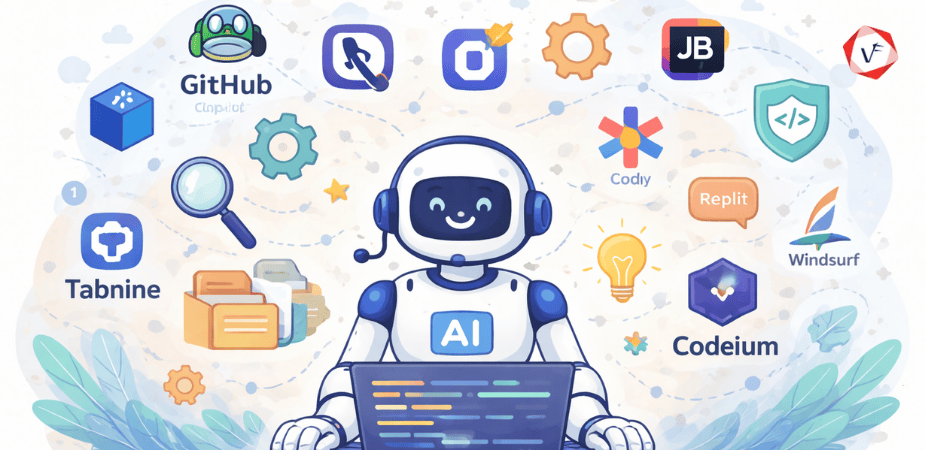
I spent $437 last month on AI coding tools. That's across five different subscriptions I'm actively testing while building real projects, not toy demos.
Here's what I've learned: the differences between these tools matter way more than the marketing suggests. Some excel at understanding your entire codebase. Others are faster at autocomplete but miss context. A few have features that sound amazing until you actually try to use them.
After six months of rotating between different AI coding assistants on production work, I have opinions. Strong ones. About which tools actually help versus which ones mostly generate plausible-looking code that breaks in subtle ways.
Let me save you some trial and error.
GitHub Copilot was first to market and it shows in both good and frustrating ways.
The autocomplete suggestions are fast. Really fast. You type a function name and Copilot often completes it correctly before you've finished the signature. For routine code patterns, API calls you've made before, standard implementations of common algorithms, it's genuinely helpful.
Integration with VS Code is seamless because Microsoft owns both. No setup friction. No compatibility issues. It just works.
Where Copilot struggles is understanding larger context. It sees your current file and maybe a few nearby files, but it doesn't really grasp your entire codebase architecture. Suggestions that look reasonable in isolation sometimes conflict with patterns you've established elsewhere.
The chat feature they added is useful for explaining code or asking quick questions, but it's not as capable as dedicated tools built around conversation. You'll get decent answers for straightforward questions, superficial ones for complex architecture decisions.
Best for: Developers who want reliable autocomplete without switching their entire workflow. If you're already in VS Code and need a productivity boost without learning new tools, Copilot delivers.
Pricing: $10/month for individuals, $19/month for Copilot Business with additional features.
Cursor is what happens when you build an IDE specifically for AI-assisted development instead of bolting AI onto existing tools.
The killer feature is Cmd+K. You highlight code, hit Cmd+K, describe what you want changed in natural language, and it rewrites that section. Not just autocomplete. Actual code transformation based on instructions.
Want to refactor a component from class-based to hooks? Describe it. Need to add error handling to a function? Ask for it. Cursor understands the surrounding context and makes changes that actually work most of the time.
The codebase-wide understanding is noticeably better than other tools. Cursor indexes your entire project and can reference files across your codebase when making suggestions. This matters enormously for maintaining consistency with existing patterns.
The downsides? It's a whole new IDE, even though it's forked from VS Code. Your extensions might not work. Your keybindings need adjustment. The learning curve is real if you're coming from a heavily customized setup.
Also, it's expensive. The fast premium models burn through your monthly token allowance quicker than you'd expect on large refactors.
Best for:** Developers willing to change their entire IDE for significantly better AI assistance. If you're building something new or can handle the migration, Cursor is probably the most capable tool available.
Pricing: Free tier available, Pro at $20/month, with usage-based pricing for premium models.
Codeium's big selling point is being free for individual developers. That alone makes it worth trying.
The autocomplete quality surprised me. It's legitimately competitive with Copilot for straightforward suggestions. Not quite as fast, occasionally less accurate, but close enough that the price difference matters.
Codeium works across multiple IDEs. VS Code, JetBrains products, Vim, even some web-based IDEs. This flexibility helps if you work in different environments or collaborate with teams using different tools.
The chat feature is decent for explaining code or answering questions. It won't replace Stack Overflow for complex problems, but it handles routine questions well enough.
Where you feel the "free" limitation is in context understanding and consistency. Codeium doesn't grasp your codebase as deeply as Cursor or some paid alternatives. Suggestions sometimes ignore patterns you've established elsewhere.
Best for: Budget-conscious developers, students, or anyone who wants to try AI coding assistance without financial commitment. The quality is good enough to be useful, which isn't something you could say about free alternatives even a year ago.
Pricing: Free for individuals, paid plans for teams starting at $12/user/month.
Tabnine's differentiator is running models locally or on your own infrastructure. If you're working with proprietary code and can't send it to external APIs, Tabnine is probably your best option.
The local models are surprisingly capable. Not quite as good as cloud-based alternatives with access to massive computing power, but genuinely useful. And the knowledge that your code never leaves your machine or network matters for certain projects.
Tabnine can train custom models on your codebase. This takes time and resources but results in suggestions that match your specific coding patterns and internal libraries better than generic models.
The learning curve is steeper than Copilot. Configuration options are extensive, which gives you control but also means you need to invest time in setup. Out of the box, it's not as immediately impressive as some alternatives.
Best for: Enterprise teams with security requirements, developers working on proprietary or sensitive code, organizations that want AI assistance but can't use cloud services.
Pricing: Free for individuals, Pro at $12/month, Enterprise with custom pricing.
If you're building on AWS, Q Developer (formerly CodeWhisperer) integrates in ways other tools can't match.
The AWS-specific knowledge is genuinely helpful. Writing Lambda functions, configuring CloudFormation templates, setting up API Gateway endpoints, Q suggests patterns that actually work with AWS services. It understands AWS quirks and best practices better than generic coding assistants.
Security scanning is built in. Q automatically checks your code for common security issues and suggests fixes. This integration saves the step of running separate security tools.
The command line integration is interesting. Q can suggest and even execute AWS CLI commands, translating natural language into proper CLI syntax.
For non-AWS work, Q is merely okay. The general coding assistance doesn't match specialized tools like Cursor or even Copilot. You're trading breadth for depth in AWS expertise.
Best for: Teams building primarily on AWS, developers who spend most of their time with AWS services, projects where AWS-specific knowledge justifies using a more specialized tool.
Pricing: Free tier available, Builder at $19/month, Team plans with custom pricing.
Replit AI only makes sense if you're already using Replit for development. But if you are, the integration is excellent.
The AI understands Replit's environment completely. It can suggest deployments, configure environment variables, set up databases, all within Replit's infrastructure. This tight integration eliminates friction you'd face using external AI tools.
For learning and prototyping, Replit AI is remarkable. It can scaffold entire applications, explain what the code does, and help debug issues, all in an environment designed for quick iteration.
The limitations are Replit's limitations. For production applications or complex projects requiring specific infrastructure, you'll outgrow the platform. Replit AI is best for exploration and smaller projects.
Best for: Students learning to code, rapid prototyping, building small projects, developers who prefer cloud-based development environments.
Pricing: Included with Replit Core ($25/month) and higher tiers.
Cody brings Sourcegraph's code search capabilities to AI assistance. If your organization uses Sourcegraph for code search, Cody is a natural extension.
The key strength is context from across your entire codebase and even connected repositories. Cody can reference code from multiple services when making suggestions, which is invaluable in microservice architectures where changes need to coordinate across repositories.
Chat-based interaction is more prominent than autocomplete. You ask questions, get explanations, request changes. This conversational approach works well for understanding unfamiliar code or planning refactors.
Setup requires more work than plug-and-play alternatives. You need Sourcegraph infrastructure, proper configuration, and integration with your repositories. This investment makes sense for larger organizations but feels heavy for individual developers or small teams.
Best for: Organizations already using Sourcegraph, teams with complex multi-repository architectures, enterprises wanting AI assistance with full codebase context.
Pricing: Free for individual use, Pro at $9/month, Enterprise with custom pricing.
If you're committed to JetBrains IDEs (IntelliJ IDEA, PyCharm, WebStorm, etc.), their AI Assistant integrates more naturally than external tools.
The context awareness leverages JetBrains' already excellent code intelligence. It understands your project structure, dependencies, and patterns because it's built on top of the same analysis engine that powers JetBrains' other smart features.
Chat-based interactions feel more polished than in some competitors. You can ask about specific functions, request refactoring suggestions, or get explanations of complex code. The responses incorporate project-specific context that makes answers more relevant.
Code generation quality is solid but not exceptional. It won't blow you away if you're coming from Cursor or Copilot, but it's competent and improves your workflow without requiring tool switching.
Best for: Developers who live in JetBrains IDEs, teams standardized on IntelliJ ecosystem, anyone who values tight integration over best-in-class AI capabilities.
Pricing: Bundled with JetBrains All Products Pack ($289/year) or sold separately as part of monthly IDE subscriptions.
Windsurf is newer and less proven than other entries, but it's showing promise in specific areas.
The agentic approach is interesting. Instead of just completing code, Windsurf can execute longer workflows. You describe a feature, it plans the implementation, writes code across multiple files, and even runs tests. This automation works better in theory than practice currently, but the direction is compelling.
Real-time collaboration features let multiple developers and AI work together on the same codebase simultaneously. This collaborative model could be powerful for pair programming or team development, though it's still maturing.
The tool is less stable than mature alternatives. Expect occasional bugs, features that don't quite work as advertised, and changes between versions that break your workflow. Early adopters only.
Best for: Developers comfortable with bleeding-edge tools, teams interested in collaborative AI coding experiments, anyone willing to deal with instability for access to novel features.
Pricing: Currently in beta with limited access, pricing structure still evolving.
Phind takes a different approach. It's primarily a search engine that understands coding questions and provides AI-generated answers.
The VS Code extension brings Phind directly into your editor, but the real value is the web interface. You ask coding questions, Phind searches across documentation, Stack Overflow, GitHub issues, and other sources, then synthesizes answers using AI.
Source citations are excellent. Unlike pure AI tools that generate answers from their training data, Phind shows you where information comes from. This transparency helps verify suggestions and learn from reliable sources.
For autocomplete-style assistance, Phind is limited. It's designed for answering questions and explaining concepts rather than generating code in real-time as you type.
Best for: Developers who prefer searching for solutions rather than accepting autocomplete, learning new languages or frameworks, anyone who values seeing sources for AI-generated information.
Pricing: Free with limitations, Pro at $15/month for faster responses and more features.
At Vofox Solutions, we help organizations adopt AI development tools effectively while maintaining code quality and team productivity. Our expertise ensures you get real value from AI coding assistants rather than just adding expensive subscriptions.
Let's discuss optimizing your development process. Contact Vofox to explore how we can help your team leverage AI tools strategically.
The differences between these tools are real but situational. Here's how I think about the choice.
The biggest differentiator is how well the tool understands your entire codebase versus just the current file. Cursor and Sourcegraph Cody excel here. GitHub Copilot and most others lag significantly.
This matters more than you'd think. Suggestions that ignore your established patterns or internal libraries create more work than they save. You spend time fixing AI-generated code instead of writing it yourself.
Autocomplete suggestions need to appear fast or they're useless. By the time you've typed another word or two, a slow suggestion becomes irrelevant.
Copilot remains fastest for inline suggestions. Cursor is fast enough. Some alternatives noticeably lag, which destroys the flow state these tools are supposed to enhance.
Individual subscriptions seem cheap. Multiply by a development team and costs add up quickly. The difference between $10/month and $20/month per developer is significant at 50 or 100 people.
Free tiers like Codeium become attractive for budget-conscious teams, even if capabilities are slightly reduced. The ROI calculation changes dramatically based on team size.
If you're working on proprietary code or have security requirements that prevent cloud APIs, your options narrow quickly. Tabnine's local models or Sourcegraph Cody's on-premise deployment might be your only choices regardless of other considerations.
Switching IDEs, changing workflows, or adding setup complexity creates resistance. Tools that work with your existing environment (Copilot in VS Code, JetBrains AI in IntelliJ) have adoption advantages even if they're not objectively best.
Start with trials. Most tools offer free tiers or trial periods. Actually use them on real work, not demo projects. The differences become clear quickly.
Don't commit to annual plans upfront. These tools improve rapidly. What's best today might be surpassed in months. Pay monthly until you're confident.
Test on your actual codebase. Generic demos are impressive. Your messy, real-world code is where tools prove themselves or fail. Test on the code you actually maintain.
Consider what you're optimizing for. Fastest autocomplete? Best code explanation? Strongest codebase understanding? Different tools excel at different things. Pick what matters most for your work.
Don't expect miracles. AI coding assistants are productivity multipliers, not replacements for skill. They help you write routine code faster and explain unfamiliar code quicker. They don't architect systems or make design decisions well.
I'm still using three of these tools simultaneously. Cursor for serious development where I need strong context understanding. Copilot when I'm in VS Code for quick edits. Phind when I'm learning something new and need explanations more than code generation.
That's probably wasteful. The rational choice is picking one tool and mastering it. But the tools are different enough that different situations favor different options.
If you forced me to pick just one right now, it'd be Cursor for its superior context understanding and powerful transformation capabilities, despite the cost and IDE switching friction. For most developers in most situations, Copilot remains the safe, reliable choice that works well enough without forcing workflow changes.
For teams with budget constraints, Codeium is legitimately good enough to be useful despite being free. For AWS-heavy development, Q Developer's specialized knowledge justifies its existence. For enterprise security requirements, Tabnine's local models might be your only option.
The landscape keeps changing. A new tool or a major update could shift these rankings in months. These tools are improving faster than any software category I've seen.
What hasn't changed is that AI coding assistants are now essential tools, not experimental toys. The question isn't whether to use them but which ones match your specific needs and constraints.
Try a few. See what fits. Keep what works. The hour you spend testing tools will pay back quickly through improved productivity, assuming you pick something that actually helps rather than just sounding impressive.
Guaranteed Response within One Business Day!

Why the PHP2Shell Alert Makes Choosing the Right PHP Development Company More Important Than Ever

How AI-Powered UX Design Improves User Experience
When to Choose Node.js and When to Choose PHP for Your Project

How to Choose the Best Flutter App Development Company for Your Business

Key Benefits of Hiring a Flutter App Development Company in India

Guaranteed Response within One Business Day!