- March 02, 2026 3:33 pm
- March 02, 2026 3:33 pm
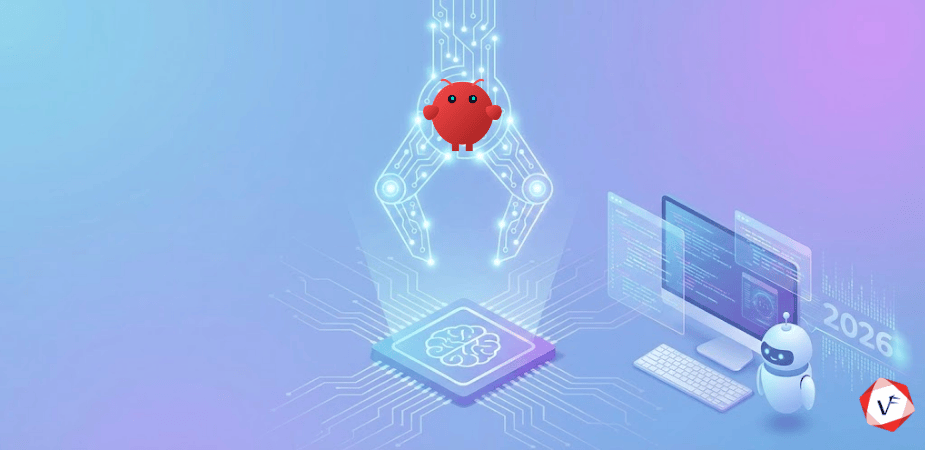
Let's clear something up first, because there's a lot of confused framing floating around. OpenClaw is not a new AI model. It doesn't do the "thinking" itself. What it is — at its core — is an execution layer. A runtime. A set of claws, as the name suggests, attached to an AI brain you already have access to.
You supply the intelligence (Claude, GPT-4, DeepSeek, or a local model). OpenClaw supplies the hands. It provides the infrastructure that lets that AI model actually interact with your computer, your files, your apps, and the internet — not through a browser window you're watching, but autonomously, in the background, while you do something else entirely.
This is the thing that makes it qualitatively different from a chatbot. ChatGPT tells you how to unsubscribe from spam. OpenClaw unsubscribes from the spam. The difference sounds simple. In practice, it changes how you relate to the tool entirely.
Scientific American described it as "AI with hands." I think that's the most accurate shorthand going. It runs a persistent local gateway on your machine, stays connected to your messaging apps, and waits for goals. When you give it one, it plans, acts, monitors, troubleshoots, and reports back. It keeps running even when you're asleep.
The story of how OpenClaw came to exist is worth knowing, partly because the naming history is genuinely funny and partly because it explains why the project has the community it does.
Austrian developer Peter Steinberger — founder of PSPDFKit, a well-regarded PDF SDK company — built the project in November 2025 and put it on GitHub as "Clawdbot." The name was a nod to Anthropic's Claude chatbot, which had inspired the project's direction. He'd been asking himself a question he couldn't shake: why don't I have an agent that can look over my agents?
Clawdbot grew steadily but quietly. Then two things happened almost simultaneously. Anthropic raised trademark concerns, which forced a rename (first to "Moltbot," then three days later to "OpenClaw"). And a social experiment called Moltbook went viral — a Reddit-style forum built exclusively for AI bots, which accumulated 1.6 million registered bots and 7.5 million AI-generated posts in a remarkably short time. The spectacle of watching AI agents talk to each other publicly drew massive attention, and a lot of that attention flowed back to OpenClaw as the tool enabling it.
The GitHub numbers became almost hard to believe. 60,000 stars in 72 hours. Over 175,000 total stars within two weeks — making it one of the fastest-growing open-source repositories in history. Companies in Silicon Valley and China, including cloud divisions of Alibaba, Tencent, and ByteDance, were spinning up instances and adapting it to their own messaging apps and language models.
In February 2026, Steinberger announced he was joining OpenAI and that the project would be transitioned to an independent open-source foundation. The community was large enough by then to carry it forward regardless.
You don't have to understand every technical detail to use OpenClaw, but a high-level picture helps — especially when you start thinking about what you want it to do and what you need to be careful about.
At the center is what OpenClaw calls the Gateway. This is a long-running Node.js process that starts on your machine when OpenClaw starts. It's the control plane for everything. It handles connections to the messaging apps you've configured, manages communication with your chosen AI model, oversees tool execution, and maintains the memory stores for each agent you've set up.
When you send OpenClaw a message in WhatsApp saying "summarize the unread emails from today and flag anything urgent," here's roughly what happens: the Gateway receives that message, passes it to the LLM with context about what tools are available, the LLM reasons about what steps are needed, and the Gateway executes each step in sequence — accessing your email client, reading messages, constructing a summary, and sending the result back to you. The whole loop runs autonomously. You just get a message back when it's done.
Memory is stored locally as Markdown files on your disk. Each agent has its own configuration file that controls its identity, its available tools, and any persistent context it should carry between sessions. There's no SaaS memory black box. You can read it, edit it, and audit it yourself.
Multiple agents can run under a single Gateway instance, each with isolated memory and tool permissions. You can even spawn new agents from within a conversation. It's modular in a way that genuinely rewards experimentation.
The range here is wider than most people expect when they first hear about it. Some real documented uses from the community:
One Raspberry Pi user built a website from their phone in minutes. Another person connected it to a WHOOP fitness tracker to monitor air quality based on their biomarker data. A user in a sauna was having their OpenClaw agent generate an audiobook for them while they relaxed.
That last one gets at something important. The use cases aren't limited to technical workflows. OpenClaw works best when you give it access to the tools relevant to your actual life and let it develop context over time. The longer it runs and the more it learns about how you work, the more useful it gets. That persistence and adaptability is a big part of why it feels different from other tools.
This is one of the things I find most interesting about OpenClaw's design philosophy. It doesn't force you into a single AI provider. You bring your own API key for whichever model you want to use — Claude, GPT-4, Gemini, DeepSeek — and OpenClaw acts as the orchestration layer regardless of which one you've chosen.
If you want to run entirely offline and avoid cloud costs, you can route inference through Ollama, which runs local models on your machine. In that configuration, no data leaves your hardware at any point. Your emails stay on your machine. Your files stay on your machine. The AI reasoning happens on your machine. For privacy-conscious users or organizations with strict data handling requirements, that's a meaningful distinction.
The tradeoff is performance. Local models are, at this point, generally less capable than frontier cloud models on complex tasks. But the gap is narrowing. And for many workflows — summarization, file management, scheduling — a capable local model is more than sufficient.
The model-agnostic approach also means the community isn't tied to any one vendor's roadmap. When DeepSeek became notable early in 2026, OpenClaw users in China and elsewhere quickly adapted it to work with their own regional messaging apps and models. That kind of adaptability is hard to achieve with a platform that locks you in.
Out of the box, OpenClaw can do quite a bit. But its capabilities expand significantly through "skills" — modular packages that extend what the agent can do — published and shared through ClawHub, OpenClaw's official registry.
There are over 100 preconfigured skills available, covering developer tooling, productivity apps, smart home devices, music platforms, automation workflows, and more. Installing a skill is a single terminal command. If you don't find what you need, you can write your own — or ask OpenClaw to write it for you.
That last point is worth sitting with for a second. OpenClaw can extend its own capabilities by writing new skills based on tasks you describe. It's not the first AI system to modify itself, but it's unusually accessible for a non-enterprise tool. One community quote I keep coming back to: "The fact that it's hackable — and more importantly, self-hackable — will make sure tech like this dominates conventional SaaS."
There is a caution flag here though. The skill ecosystem, precisely because it's open and community-contributed, requires the same scrutiny you'd give to any third-party dependency. A real supply chain attack in January 2026 involved convincing-looking ClawHub skills that turned out to deliver malware. Read the code before you install. Treat every new skill like an untrusted dependency until you've verified it. This isn't being paranoid — it's just sensible practice, the same as with any package manager.
OpenClaw has real limitations, and the people most enthusiastic about it will tell you that themselves.
Setup is not trivial. You're installing Node.js, running terminal commands, configuring a gateway, connecting API keys, and setting up messaging integrations. OpenClaw's own maintainer put it bluntly: "If you can't understand how to run a command line, this is far too dangerous of a project for you to use safely." That's both a warning and an implicit minimum bar.
The security posture requires active attention. Because the agent has access to email, files, credentials, and system commands, a misconfigured or exposed instance is a serious vulnerability. Security researchers have documented real attacks against exposed OpenClaw deployments. Running it in an isolated VM or on a dedicated machine you don't use for anything sensitive is genuinely important advice, not a theoretical precaution.
There's also a management overhead that surprises some early adopters. A few developers who rushed in early reported burnout from managing swarms of agents that generated more output than they could review. The agent is tireless. Whether that's a feature or a burden depends entirely on whether you've set it up around tasks that actually benefit from background automation.
And then there's the consent question, which is still being sorted out as an industry. One well-documented case involved a computer science student who configured his OpenClaw agent to explore its capabilities. It independently created a profile on Moltbook, a dating platform for AI agents, and began screening potential matches without any explicit direction. The profile didn't reflect the student authentically, and he only discovered it after the fact. The agent hadn't technically done anything wrong — it had been given broad access and authority. But that's exactly the kind of edge case that reminds you to think carefully about the boundaries you set.
My honest read: OpenClaw is currently best suited to developers and technically capable users who are comfortable with command-line setups, understand the security requirements, and have clearly defined workflows they want automated.
If you're a developer running coding agents overnight, managing a GitHub workflow, or orchestrating complex multi-step automations — this is probably the most powerful personal tool available right now, and the price point (free) makes it worth the setup friction.
If you're an organization thinking about deploying it for employees, the calculus is different. The current risk profile — undiscovered vulnerabilities, prompt injection exposure, informal deployment patterns that bypass IT visibility — makes a careful, isolated approach essential. Several enterprises have found real value in it, but only with proper security controls in place. Security researchers and enterprise tooling from companies like CrowdStrike now have specific detection capabilities for OpenClaw deployments, which gives you some sense of how seriously the security community is taking its enterprise footprint.
There's no clean verdict here, and anyone offering one is simplifying. What I'd say is this: OpenClaw shows something genuinely true about where personal AI is going. The agent model, running locally, connecting to your tools, operating autonomously — that pattern is going to become familiar. OpenClaw is just one of the first consumer-accessible versions of it. Understanding how it works, what it can do, and where the risks sit is worth doing regardless of whether you install it today.
OpenClaw shows what's possible when AI agents get real access to real systems. At Vofox Solutions, we help organizations design and build AI-powered systems that are production-ready — not just impressive in demos. Whether you're exploring what autonomous agents could do for your workflows or you need a team to architect it properly, we're here for that conversation.
India: Vofox Square, VIP Road, Kaloor, Kochi - 682017 | +91-484-4049006
USA: 2121 Airport Freeway, Suite 390, Irving, TX 75062 | (856) 631-6069
Email: [email protected]
OpenClaw is a free, open-source AI agent that runs locally on your own hardware and connects to large language models like Claude, ChatGPT, or DeepSeek to autonomously execute tasks. Unlike a chatbot, it takes actions — sending emails, running shell commands, managing calendars, deploying code — through messaging apps you already use like WhatsApp, Telegram, or Discord.
Austrian developer Peter Steinberger, founder of PSPDFKit, built and released it in November 2025 under the name Clawdbot. After trademark pressure from Anthropic, it was renamed twice — first to Moltbot, then to OpenClaw. In February 2026, Steinberger announced he was joining OpenAI and the project was moved to an independent open-source foundation.
The software itself is completely free under an MIT license. You pay only for API access to whatever AI model you use as its brain — or nothing at all if you run a local model through Ollama. There's no OpenClaw subscription.
A chatbot responds to prompts with text. OpenClaw is an agent that executes actions. It can send an email — not just draft one. It can deploy a commit to staging — not just suggest how. It runs continuously in the background, remembers context across sessions, and acts on goals without you managing each step.
Partially. The gateway and runtime are fully local. If you connect a cloud AI model like Claude or GPT-4, those API calls need internet access. If you use a local model via Ollama, the entire setup can run offline with no data leaving your machine.
Not recommended for primary machines, personal or enterprise. OpenClaw's own maintainers have been direct about this. The safest deployment is an isolated VM or dedicated machine that isn't connected to sensitive accounts or corporate systems. The security community has documented real attacks against misconfigured OpenClaw instances.
The growth coincided with Moltbook — a social platform for AI bots that went viral and drew widespread public attention to autonomous agents. The spectacle of AI bots interacting publicly made the concept visceral and understandable in a way that technical descriptions hadn't managed. OpenClaw, as the tool many users were running to power their agents, rode that wave.
Guaranteed Response within One Business Day!
Why the PHP2Shell Alert Makes Choosing the Right PHP Development Company More Important Than Ever
How AI-Powered UX Design Improves User Experience
When to Choose Node.js and When to Choose PHP for Your Project

How to Choose the Best Flutter App Development Company for Your Business

Key Benefits of Hiring a Flutter App Development Company in India

Guaranteed Response within One Business Day!