- October 22, 2026 2:34 pm
- October 22, 2026 2:34 pm
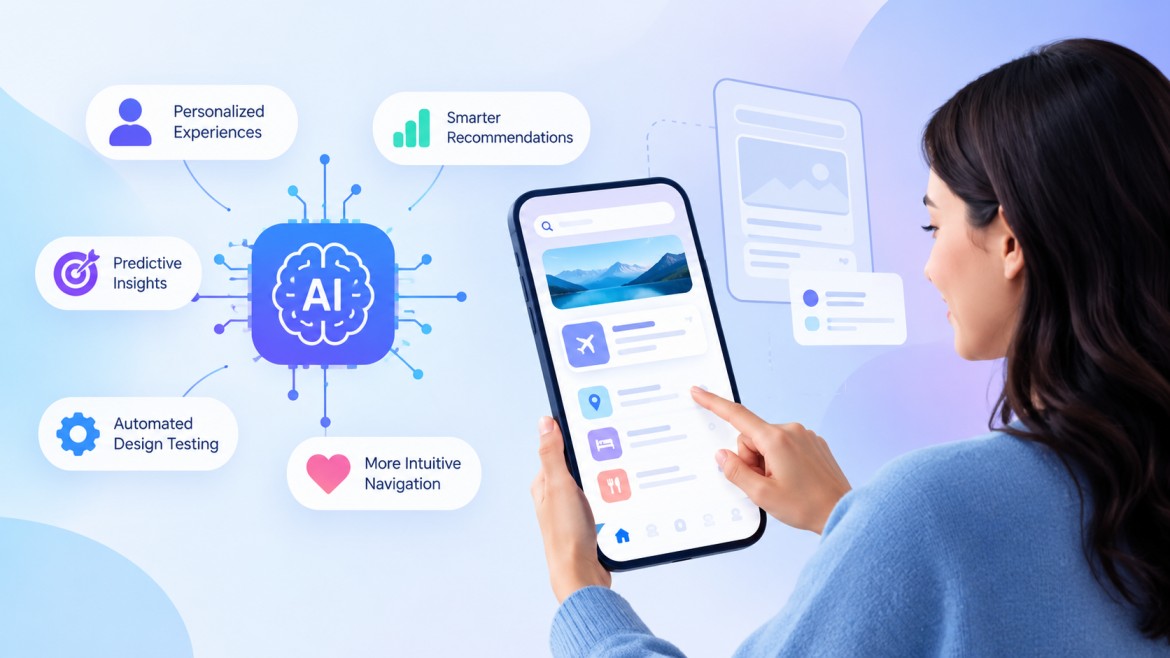
A shopper opens your app, scrolls past three product banners, and closes the tab before reaching the checkout button. Your analytics dashboard records the exit, but it rarely explains the hesitation behind it. Design teams have long relied on interviews, heatmaps, and sampled sessions to explain those exits, and each method takes weeks.
AI in UI/UX development" shortens that wait by turning raw behavior data into clear design signals. Models read behavior across thousands of sessions and flag friction while the product is still live. Designers then spend their hours on decisions that need judgment, such as tone, hierarchy, and trust.
This blog explains how AI powered UX design improves user experience for modern businesses. You will also find practical steps for bringing these tools into your workflow.
Businesses that adopt AI in UI/UX development gain faster insight, steadier consistency, and measurable improvements in conversion and retention. Each benefit below shows up in daily design work, and each one connects to revenue.
Faster research cycles help teams act on evidence within days. AI tools cluster survey responses, summarize usability session recordings, and surface repeated complaints without manual tagging. A researcher who once spent a week coding transcripts now reviews a ranked list of themes in an afternoon.
Lower design and development costs follow from earlier problem detection. When a model flags a confusing navigation pattern in a prototype, the team fixes it before engineers write code. Rework often takes a large share of a product budget, so catching issues early protects both schedule and spend.
Stronger accessibility comes from automated checks that review color contrast, text size, and screen reader labels as designers work. These checks help teams meet WCAG standards and serve users with visual, motor, or cognitive needs.
Higher engagement and conversion result when interfaces respond to behavior. Adaptive layouts, smarter search, and contextual prompts reduce effort at every step. Lower effort keeps people moving toward purchase, signup, or renewal.
Consistent design at scale becomes realistic for large products. AI assistants compare screens against the design system and flag spacing, typography, or component drift before release.
Partnering with a UI/UX development company that builds these capabilities into its process gives your team a clear edge.
AI personalization and predictive analytics improve user experience by showing each person the right content at the right moment. Both techniques learn from behavior, so the interface improves with every visit.
Personalization starts with signals such as browsing history, device type, location, and past purchases. A streaming app uses those signals to reorder its home screen. A banking app uses them to surface the transfer a customer makes every Friday. An online store, for example, can reorder category filters for each visitor based on past clicks. Each change removes a search or a tap, and small savings add up across a session.
Predictive analytics anticipates user needs before they surface in support tickets or reviews. Models estimate which users will abandon a cart, which features a new customer needs, and which screens create confusion. Product teams then act on those predictions before frustration turns into churn.
Consider an onboarding flow where models notice that users who skip the profile step rarely return after day three. The team responds with a shorter setup and a contextual reminder, and activation rises. Healthcare portals, online stores, and SaaS dashboards use similar methods to guide users toward their next useful action.
Responsible teams also set clear limits on how they use personal data. They explain what data they collect, offer visible controls, and test recommendations for bias. Users trust personalization when they understand it, and trust keeps them returning. Strong AI in UI/UX development always pairs relevance with transparency.
Successful teams approach AI in UI/UX development with clear goals, clean data, and steady human oversight. The following practices keep projects focused and protect the user experience.
Define a problem first by choosing one friction point, such as checkout abandonment or slow search, and attaching a metric to it. Narrow goals give the model a target and give stakeholders a way to measure progress.
Collect clean and consented data because models reflect the quality of their inputs. Audit analytics events, remove duplicates, and document user consent before training anything.
Keep designers in the decision loop while AI proposes layouts, copy variations, and flows. Designers review each proposal for brand fit, empathy, and clarity. Human judgment catches awkward details that a model cannot sense.
Test every AI generated change with A/B tests and usability sessions before shipping. Real users confirm whether a prediction actually improves the experience.
Start small and expand gradually by piloting one feature and reviewing results after a few weeks. Extend the approach to other journeys once the numbers hold.
Choose the right partners to fill skill gaps in your team. Many businesses hire UI/UX designers who understand machine learning tools and their limits. Others work with an AI UI/UX development company in India to access research, design, and engineering skills in one team. A trusted UI/UX development company in India also offers flexible engagement models for growing products.
AI in UI/UX development gives design teams the evidence, speed, and personalization that modern users expect. Teams that apply it with clear goals and human review build products that feel intuitive from the first visit. Start with one friction point, measure the result, and expand to the next journey.
When you hire UI/UX designers, look for people who combine research skills with hands on experience in AI tools. An AI UI/UX development company in India can support your team with research, design, and testing at a sensible cost.
AI-powered UX design uses machine learning to analyze user behavior, predict needs, and automate routine design tasks. Designers use those insights to create interfaces that adapt to individual users and improve over time.
AI improves user experience by reducing effort and removing friction at every step of a journey. It personalizes content, predicts what users need next, and flags confusing screens before they cause drop offs. As a result, users complete tasks faster and feel understood by the product.
The main benefits include faster research, lower rework costs, stronger accessibility, and higher conversion. AI in UI/UX development also keeps design systems consistent across large products. A UI/UX development company can turn these benefits into measurable results for your product.
No, AI cannot replace UX designers because it lacks empathy, cultural awareness, and creative judgment. AI handles repetitive analysis and drafts, while designers decide what the product should feel like and why.
Businesses can start by choosing one high impact friction point and gathering clean, consented user data. Next, they pilot an AI feature, test it with real users, and measure results against a clear metric. A UI/UX development company in India can speed up each step with research, design, and engineering support in one team.
Guaranteed Response within One Business Day!
How AI-Powered UX Design Improves User Experience
When to Choose Node.js and When to Choose PHP for Your Project
How to Choose the Best Flutter App Development Company for Your Business
Key Benefits of Hiring a Flutter App Development Company in India
How AI Agents Are Creating New Opportunities for Software Outsourcing Companies

Guaranteed Response within One Business Day!