- November 04, 2026 11:35 am
- November 04, 2026 11:35 am

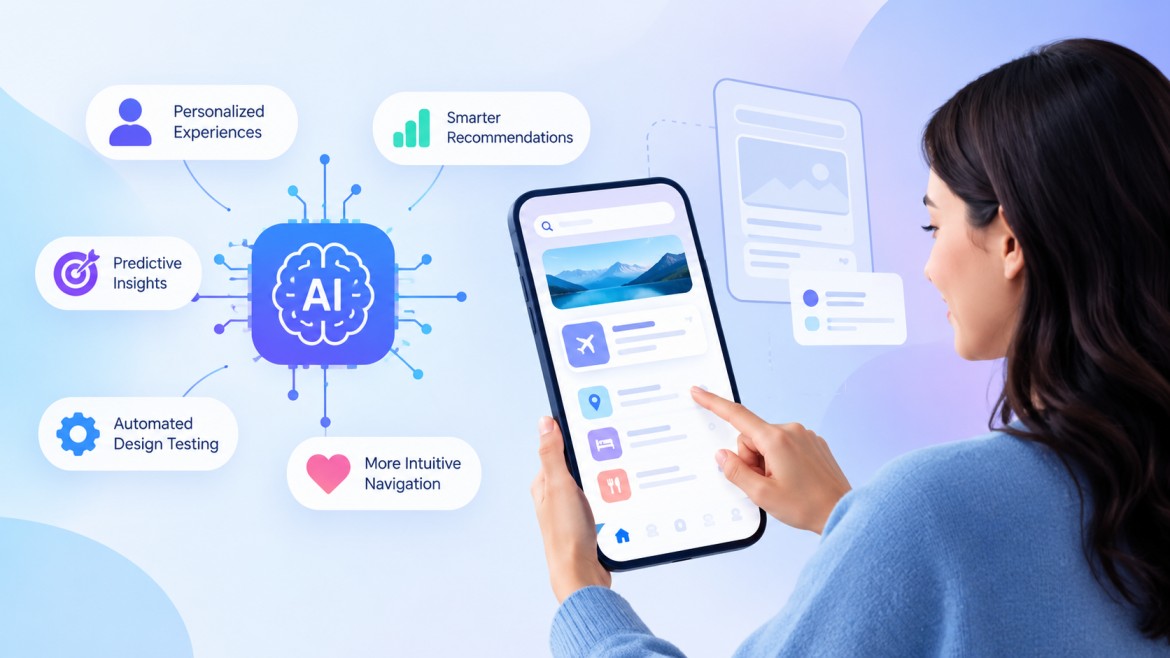
Artificial intelligence is changing how people interact with digital products. AI-powered applications now support everyday tasks, automate workflows, and deliver personalized recommendations. However, their success depends heavily on how users experience these features. A confusing interface, unpredictable responses, or unclear system behaviour can quickly reduce user confidence. Businesses must therefore prioritize thoughtful UX design when developing AI-powered products. A reliable UI/UX development company understands how to combine intelligent functionality with simple, accessible interfaces. By focusing on user expectations, transparency, and usability, businesses can easily create AI applications that encourage meaningful engagement. Effective AI UX design helps users understand system capabilities while maintaining control over their interactions.
Artificial intelligence is changing how people interact with digital products. AI-powered applications now support everyday tasks, automate workflows, and deliver personalized recommendations. However, their success depends heavily on how users experience these features. A confusing interface, unpredictable responses, or unclear system behaviour can quickly reduce user confidence. Businesses must therefore prioritize thoughtful UX design when developing AI-powered products. A reliable UI/UX development company understands how to combine intelligent functionality with simple, accessible interfaces. By focusing on user expectations, transparency, and usability, businesses can create AI applications that encourage meaningful engagement. Effective AI UX design helps users understand system capabilities while maintaining control over their interactions.
Designing an effective AI experience requires a clear understanding of user behaviour and expectations. As AI applications involve complex processes, designers must make interactions intuitive and predictable. With the growing role of AI in UI/UX development, the focus should be on making intelligent features easier to understand and use. The following principles highlight key considerations for improving user engagement and usability.
Users should understand how an AI application works without needing technical knowledge. Keep navigation straightforward and present information in a familiar format. Use clear labels, helpful instructions, and recognizable interface elements. A simple design reduces confusion and encourages users to explore available features. Businesses can also hire UI/UX designers experienced in AI products to turn user research findings into practical designs.
Users need to understand when artificial intelligence influences an application. Clearly communicate when AI generates recommendations, processes requests, or makes predictions. Explain important decisions using accessible language. Transparent communication helps users develop realistic expectations and make informed choices.
AI can analyze user preferences and behaviour to deliver relevant experiences. Designers can use these capabilities to recommend content, customize dashboards, and simplify repetitive tasks. However, personalization should respect individual preferences and provide suitable controls. Users should always have the option to adjust recommendations.
AI applications sometimes produce unexpected results or misunderstand user requests. Provide options to edit inputs, regenerate responses, and correct errors. Include accessible settings that allow users to manage personalization and data preferences. These controls create a more comfortable experience.
Every interaction should communicate what the system is doing. Loading indicators, confirmation messages, and progress updates help users understand system activity. When an AI tool needs additional information, provide clear prompts. Timely feedback prevents uncertainty and supports smoother interactions.
AI applications introduce unique design challenges because their behaviour can change based on data, context, and user inputs. Businesses must address these issues carefully to maintain usability and user confidence.
Users may struggle to understand how an AI application generates recommendations or decisions. This uncertainty can reduce confidence, especially when the application handles important information.
Solution: Explain AI-generated outcomes through simple descriptions and relevant supporting information. Provide clear indicators when users interact with automated features. Explain limitations whenever they affect the results.
Generative AI systems can produce incorrect, irrelevant, or inconsistent information. Such responses can frustrate users and interrupt their workflows. These issues become especially concerning in applications that handle sensitive tasks.
Solution: Design interfaces that encourage users to review important outputs. Include editing options, feedback mechanisms, and clear error messages. Businesses should also test AI responses across different scenarios before releasing features.
AI applications often process personal information to improve recommendations and automate tasks. Users may hesitate to share information when they do not understand how businesses collect or use their data.
Solution: Explain data collection practices through accessible privacy notices. Request permission before collecting sensitive information. Provide simple privacy settings that allow users to manage their preferences.
Adding several AI features can make an application difficult to navigate. Excessive notifications, complicated dashboards, and unfamiliar controls can overwhelm users.
Solution: Organize features according to user needs and common workflows. Prioritize essential actions while keeping advanced features accessible. Conduct usability testing to identify unnecessary interface elements.
Some AI applications automate decisions without giving users enough opportunities to review or correct outcomes. This can create frustration and make users feel disconnected from the experience.
Solution: Include human review options wherever decisions require user involvement. Allow users to override recommendations and modify automated actions. Maintain clear controls throughout important workflows.
Creating successful AI applications requires consistent attention to usability, accessibility, and reliability. Businesses can follow these practices to deliver experiences that support user needs and build lasting confidence.
Understand your target audience before designing AI-powered features. Conduct interviews, surveys, and usability studies to identify user expectations. Analyze common difficulties and determine where AI can provide practical value. This research helps designers build experiences around genuine requirements.
Many AI applications use chatbots and conversational assistants to simplify interactions. Design these interfaces with clear prompts, readable responses, and helpful suggestions. Include examples that show users how to communicate with the system. When the AI cannot understand a request, guide users towards suitable alternatives.
An effective AI interface should accommodate users with different abilities and technical experience. Use readable typography, sufficient color contrast, descriptive labels, and keyboard-friendly navigation. Support screen readers wherever possible. Accessible design allows more people to interact with AI applications comfortably.
Users should understand what an AI application can and cannot do. Set realistic expectations through onboarding messages and contextual guidance. When the system cannot complete a task, explain the issue and suggest another action. Honest communication helps prevent misunderstandings.
AI systems can make mistakes, particularly when handling complex requests or sensitive decisions. Provide human assistance when users need additional support. Allow manual review for important recommendations and automated actions. Human oversight helps businesses maintain accountability and improve the overall experience.
AI applications require regular evaluation because user expectations and system performance can change. Conduct usability testing to identify confusing interactions and accessibility issues. Collect user feedback through surveys and in-app options. Monitor engagement, task completion rates, and error reports to identify improvement opportunities.
Businesses planning AI-powered digital products can also benefit from working with an experienced design partner. An AI UI/UX development company in India can help organizations combine user research, interface design, and AI capabilities.
Designing an effective user experience for AI applications requires a thoughtful balance of usability, transparency, accessibility, and user control. Businesses must understand user expectations and address common challenges before introducing intelligent features. Clear communication, meaningful feedback, and continuous testing help create reliable digital experiences. By following user-focused design principles, organizations can make AI applications easier to understand and more comfortable to use. Working with an experienced AI UI/UX development company in India can help businesses create user-friendly AI applications with smooth and simple interactions. Investing in effective AI UX design also helps businesses strengthen user engagement and build lasting trust in their digital products.
AI UX design focuses on creating user experiences for applications that use artificial intelligence. It combines traditional UX principles with features such as personalization, predictive recommendations, and conversational interfaces. Its goal is to make AI interactions intuitive, accessible, and understandable.
A good AI user experience offers simple navigation, transparent communication, relevant personalization, and meaningful feedback. It also gives users control over automated decisions. These elements help people interact with AI applications confidently and efficiently.
Common challenges include inaccurate AI responses, unclear system behaviour, privacy concerns, and complicated interfaces. Limited user control can also affect satisfaction. Designers can address these issues through usability testing, transparency, and accessible interface controls.
Businesses can improve AI application UX by conducting user research and simplifying interactions. They should provide clear instructions, accessible controls, and transparent privacy information. Regular usability testing and user feedback also help improve application performance.
User trust encourages people to adopt and continue using AI-powered applications. Transparent communication, reliable outputs, privacy protection, and human oversight help establish confidence. When users understand how AI works, they can make better decisions during interactions.
Amal V Nair is an AI Engineer interested in exploring how artificial intelligence can solve real world problems. He focuses on understanding emerging AI technologies, their practical applications, and the challenges involved in implementing them. Through his technical insights, he aims to help readers understand AI concepts and make informed decisions about adopting AI solutions.
Guaranteed Response within One Business Day!
How to Design an Effective User Experience for AI Applications

Why the PHP2Shell Alert Makes Choosing the Right PHP Development Company More Important Than Ever
How AI-Powered UX Design Improves User Experience

When to Choose Node.js and When to Choose PHP for Your Project

How to Choose the Best Flutter App Development Company for Your Business

Guaranteed Response within One Business Day!